The first thing that you should know is that a preamp-level equalizer is NOT designed to make a system louder. An equalizer will not make an amplifier produce any more power than it would without the equalizer if your head unit has sufficient output voltage (most have enough output voltage if the gains on the amp are set properly). An equalizer is designed to smooth out the frequency response of your system.
Most people don't realize just how poor the frequency response is with most speakers. It's very difficult to get a flat frequency response (equal output at all frequencies produced by the speaker). Many times, the manufacturer of 6x9s (and other similar speakers) print the response curves on the side of the box or in the owner's manual. It's EXTREMELY rare that these are accurate. The frequency response on the graphs are better than many of the most expensive speakers available. The actual response doesn't remotely match the printed response curves. Even if you had speakers with absolutely perfect 20Hz-20kHz frequency response, when installed in the vehicle, the vehicle's transfer function would change the response significantly. Equalizers are designed to allow you to correct for deficiencies in the response of the installed speakers.
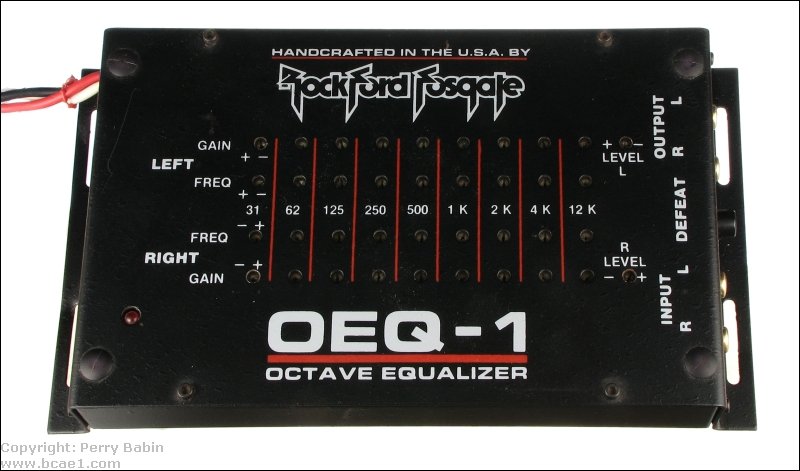
The most popular equalizer is the preamp-level equalizer (cannot drive speakers directly). It takes the signal from the RCA jacks on your head unit modifies is according to the way the controls on the equalizer are set and sends the modified signal to the amplifier. This type of equalizer is sometimes called a passive equalizer but this is not accurate. A preamp-level equalizer employs active filter circuits. All of the equalization is done by those active filters. There are different types of preamp equalizers.
Graphic Equalizers:
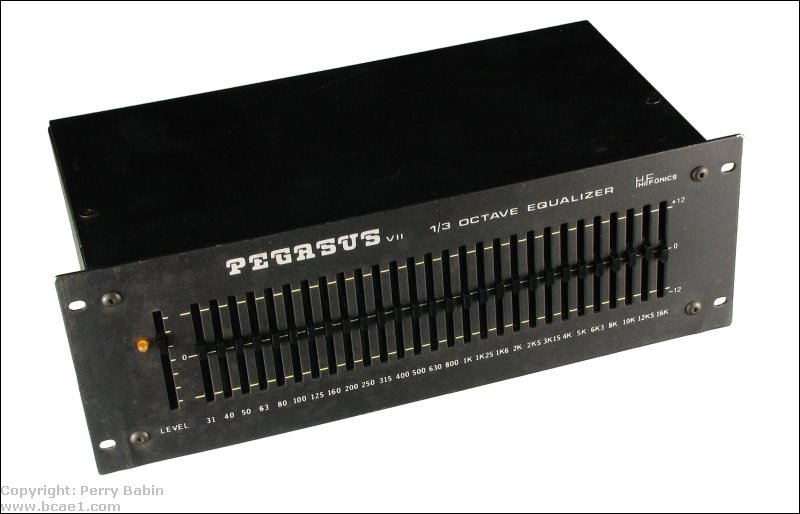
The graphic equalizer gets its name because its sliders will form a graphic representation of the boost or cut in the audio output. Each of the sliders boost or cut a small section of the audio spectrum at a predetermined frequency. Usually the lower frequency (bass) sliders will be on the left. The high frequency (treble) sliders are on the right.
The diagram below shows how the output boost/cut curve relates to the slider position.
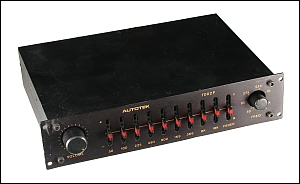
The sliders on the equalizer below are set up (roughly) in the typical 'smiley face' positions. Generally, when an equalizer is set up like that, either the speaker system is severely lacking on both ends of the audio spectrum or the person who set the equalizer didn't know what they were doing. Read the 'Spectrum Analyzer' and 'Tuning with RTA' pages of the site for more detailed information.
1/3 Octave Equalizers:
Most equalizers have 5-10 bands. 1/3 octave equalizers typically have 30-31 bands. These allow you to fine tune a system a bit better because it's more likely to have bands exactly (or very close to) where you need them.
Parametric Equalizers:
Another type of equalizer is a parametric. A parametric equalizer will allow for the adjustment of boost and cut of different bands like a graphic equalizer but it allows the shifting of the frequency up or down the audio band. It may also allow for the adjustment of "Q" (the quality of the curve of the band passed by the filter). One drawback of the parametric equalizer is that they usually have fewer bands than a graphic equalizer but they can be extremely useful in fine tuning a system with only a few flaws in its frequency response.
DSP Based Equalizers:
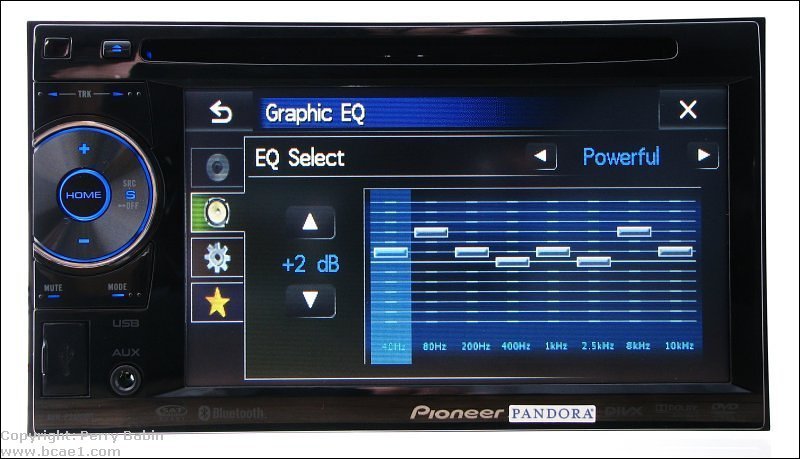
If you have an MP3 player or a head unit with electronically operated tone/equalizer controls, it's very likely that all equalization will be performed by a digital signal processing IC. All modifications to the audio are performed on digital files/streams. The digital audio is then converted to analog audio and then sent to your amplifiers.
Automatic Equalization:
Many head units and outboard DSP equalizers have automatic equalization. Using a special microphone, the equalizer 'listens' to the output of the speakers, compares it to the original signal and makes corrections to make the output more closely match the original signal. This isn't perfect but it's very good for better equalizers. It's more effective if you have speakers with good frequency response because they require less correction.
Filter 'Q'
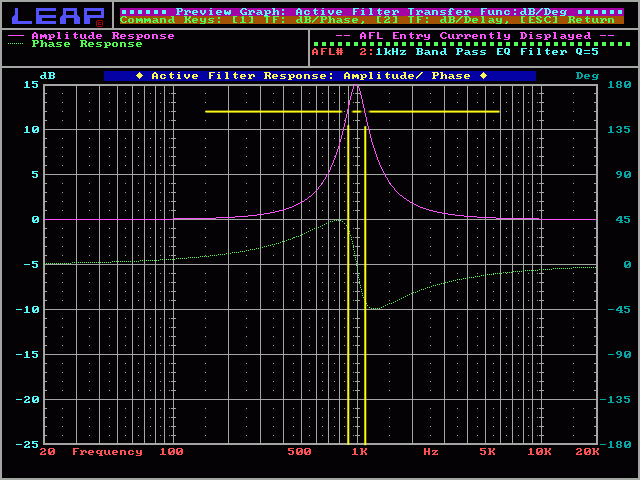
The diagram below shows the difference in the output response with different Qs. You can see that a high Q curve is very narrow and a low Q curve is wider. If you need to fix a very narrow dip or peak in your system's response, the high Q filter will work best. If you have a wider band that needs to be tamed, the low Q setting would be a better choice.
Calculating 'Q':
The 'Q' of a filter or curve can be calculated by the formula...
Q = (center frequency)/((high frequency 3dB down point) - (low frequency 3dB down point))
For the following curve, you can see that -3dBhigh is 1750hz and the -3dBlow is 750hz. If we punch those numbers in the formula we get...
This site was started for pages/information that didn't fit well on my other sites. It includes topics from backing up computer files to small engine repair to 3D graphics software to basic information on diabetes.
This site introduces you to macro photography. Macro photography is nothing more than the photography of small objects. It can take quite a while to understand the limitations associated with this type of photography. Without help, people will struggle to get good images. Understanding what's possible and what's not possible makes the task much easier. If you need to photograph relatively small objects (6" in height/width down to a few thousandths of an inch), this site will help.
If you're interested in air rifles, this site will introduce you to the types of rifles available and many of the things you'll need to know to shoot accurately. It also touches on field target competition. There are links to some of the better sites and forums as well as a collection of interactive demos.
This site helps anyone new to computers and anyone with a basic understanding of computers with a desire to learn more about the internal components of a computer. If you have a computer that you'd like to upgrade but don't know where to start, this is a good site for you.
This site is for those who want to begin racing karts but don't fully understand how the various parts work. It's mostly interactive demos that show how the various parts of the kart work.
Click HERE to visit a friend's new car audio tech site.






 The first thing that you should know is that a preamp-level equalizer is NOT designed to make a system louder. An equalizer will not make an amplifier produce any more power than it would without the equalizer if your head unit has sufficient output voltage (most have enough output voltage if the gains on the amp are set properly). An equalizer is designed to smooth out the frequency response of your system.
